5 Signs You Need Electrical Bid Manager Software (Not a Spreadsheet)
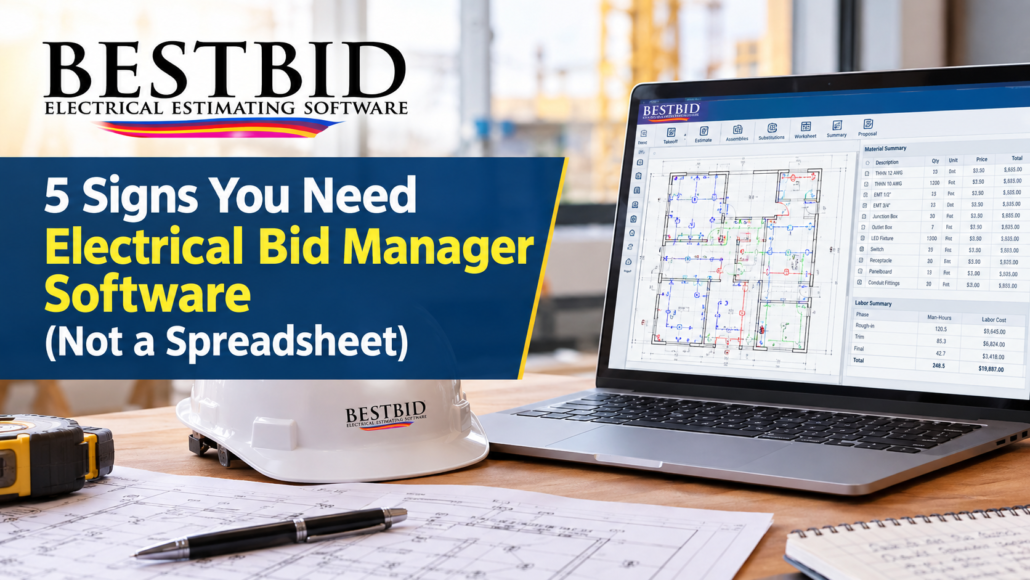
If you’re re-typing the same numbers into two or three places, missing labor adjustments on every job, or spending more time formatting a proposal than estimating the actual work, a spreadsheet has stopped helping you and started slowing you down. Electrical bid manager software like Best Bid Electrical Estimating Software is built to take over exactly those tasks, so your numbers only have to be entered once and your bid stays accurate from takeoff to proposal. Here are five clear signs it’s time to make the switch and what actually changes when you do.
How Best Bid Electrical Estimating Software Came to Be

Best Bid Electrical Estimating Software didn’t start out as Best Bid. The company began life as 1st Choice Electrical Estimating Software, also known as 1CEES, founded around 1989. The first product was the First Choice Budget Estimator, a simple tool designed to help people who weren’t deeply versed in electrical estimating still produce a workable electrical budget.
As demand grew, 1CEES built out the 1CEES System for Commercial Electrical Estimating and the 1CEES Residential Electrical Estimator, which was one of the earliest electrical bidding programs built specifically for residential electricians. Both products taught contractors how to estimate more efficiently while they used them, not just how to punch in numbers.
Eventually, the 1CEES Budget Estimator was retired, and the need for something more advanced led to the development of the Best Bid product line. Today, Best Bid Electrical Estimating Software is the name most contractors know, even though 1st Choice Electrical Estimating Software remains the official company behind it. The software itself was built by a team of electrical contractors who estimate electrical projects daily, not by programmers with no hands-on electrical background. That distinction matters, because it shows up in how the software is organized: around electrical terminology and the way electricians actually think through a bid, not around generic spreadsheet logic.
What Is Electrical Bid Manager Software, and How Is It Different From a Spreadsheet?
A spreadsheet is a blank grid. You build the structure, the formulas, and the checks yourself, and you rebuild parts of it every time a job or a price changes. Electrical bid manager software, by contrast, is purpose-built around the electrical estimating process itself: quantities go in once, and the software handles assemblies, labor, material summaries, markup, and the finished proposal.
Best Bid Electrical Estimating Software was designed around this exact problem. The goal is simple: every time you print a full-size plan, highlight symbols, total everything by hand, and then type those totals back into a spreadsheet or estimating program, you’ve created another opportunity for a mistake. Best Bid was built so those numbers only have to be entered once, whether you’re using Best Bid Next Generation or Best Bid Hybrid Pro.
In short: a spreadsheet stores numbers you enter, while electrical bid manager software is built to generate, check, and organize those numbers for you.
Sign #1: You’re Manually Re-Entering the Same Numbers More Than Once

This is the clearest sign of all, and it’s the exact problem Best Bid was built to solve. If your process involves printing a plan, marking up symbols by hand, totaling them, and then re-typing those totals into a spreadsheet or separate estimating tool, you are doing the same work twice and giving yourself two chances to get it wrong.
Best Bid Electrical Estimating Software includes a built-in On-Screen Takeoff, so counting and measuring happen directly on your computer screen from an imported PDF drawing. Best Bid is the only electrical bidding software with an on-screen takeoff built directly into the estimating system, which means you’re not relying on a separate third-party takeoff tool that wasn’t designed with electrical contractors in mind. The count flows straight into your estimate.
If your takeoff and your estimate live in two different tools, or two different tabs, you’re paying for that gap in accuracy every time you bid.
Sign #2: Your Spreadsheet Can’t Handle Custom Assemblies or Specialty Items
Most spreadsheets are flat. Every specialty item, a grounding loop, a transformer stand, a control cabinet, an elevator package, a swimming pool bonding system, seismic material, has to be built from scratch or copied from an old file and hoped it’s still accurate.
Best Bid’s Custom Assembly feature lets you build special groups of products once, save them, and reuse them on future estimates. You open the database, check the items you need, and they go straight into your estimate. Because the database itself is unlimited, you can keep adding specialty groups indefinitely without running out of room or slowing the system down. That’s a structural difference from a spreadsheet, where every added column or sheet makes the file heavier and harder to maintain.
A spreadsheet holds what you type into it; Best Bid holds a growing library of assemblies you can reuse for as long as you’re in business.
Sign #3: You Can’t Quickly Adjust Labor Difficulty or Substitute Materials Mid-Bid
Electrical bids change. A spec calls for ½” EMT and the job actually needs ¾”. Copper gets swapped for aluminum. EMT becomes MC. In a spreadsheet, each of those changes usually means hunting down every cell that references the old item and updating it by hand.
Best Bid’s Advanced Substitutions feature lets you change any item in your estimate at any point with a single click, which is especially useful on value engineering projects where the customer is asking for alternate pricing. On the labor side, every Assembly Summary sheet includes a Labor Adjustment tab where you can dial labor difficulty up or down by percentage, per assembly, instead of being locked into generic labor columns. That means you can micro-manage labor on a phase-by-phase basis instead of adjusting your whole estimate globally.
Spreadsheets make substitutions a hunt-and-replace exercise; Best Bid makes them a one-click adjustment.
Sign #4: You Have No Way to See Warnings, Breakdowns, or a Full Worksheet Summary
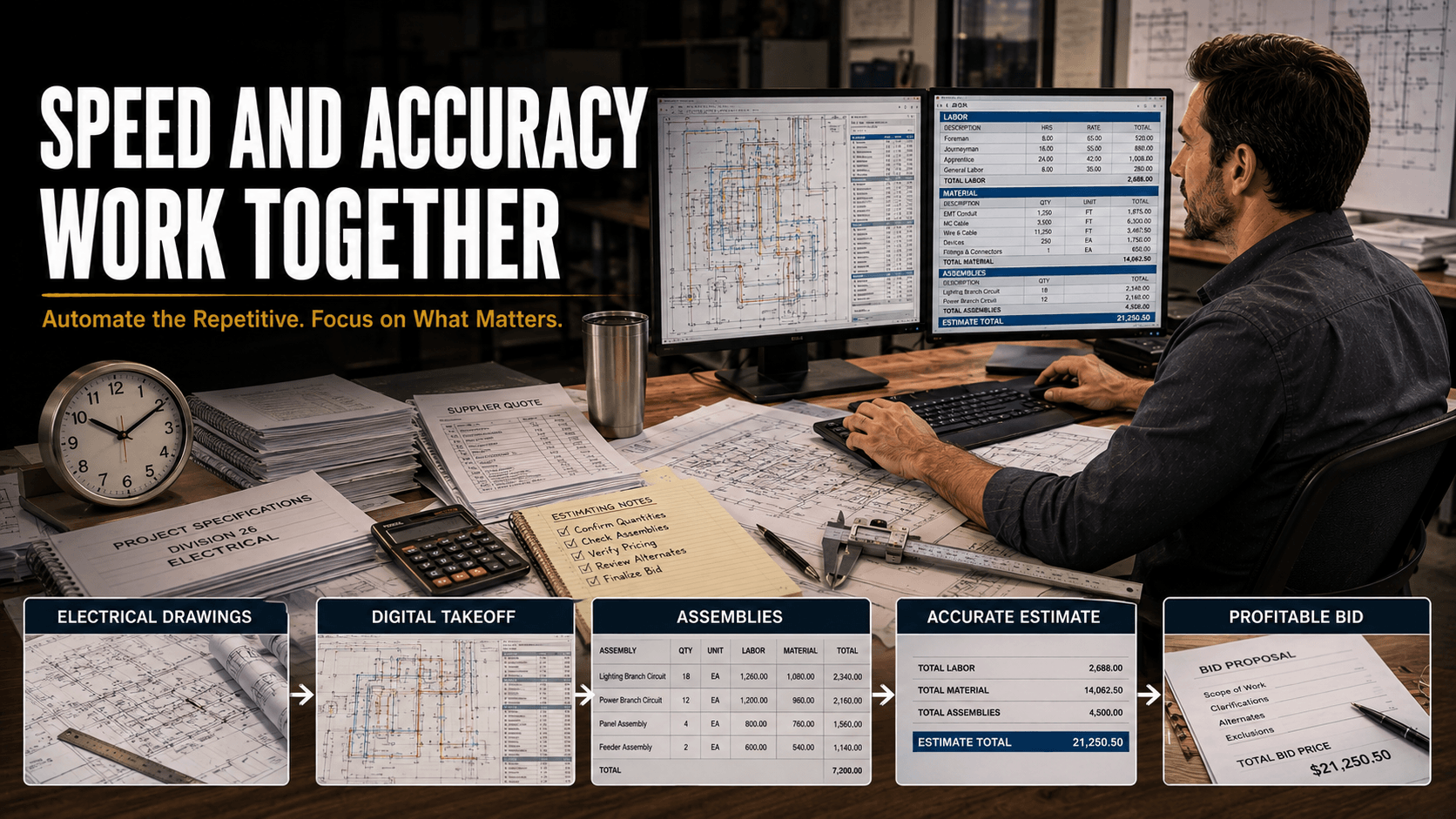
A spreadsheet won’t tell you when something looks off. If a quantity is missing or a cell wasn’t filled in correctly, you find out later, sometimes after the bid is already submitted.
Best Bid includes warning lights that flag when data hasn’t been entered correctly, along with Assembly Summaries, Man-Hours, Material Summaries, and Audit Trails so you can see exactly how a bid was built. The Worksheet view pulls it all together: low quotes, labor for quotes, rough-in material, labor for rough-in material, and total man-hours and labor cost, all in one place. From there, you can add markup to each phase of the estimate individually, and the Summary page adds profit, overhead, bonds, and engineering before showing the final selling price. Most estimating software doesn’t give you that phase-by-phase markup control.
The table below shows how this plays out day to day.
| Task | Typical Spreadsheet | Best Bid Electrical Estimating Software |
| Entering takeoff quantities | Manual re-entry from printed plans | Built-in On-Screen Takeoff feeds directly into the estimate |
| Reusing specialty items | Rebuilt or copied from old files | Saved as Custom Assemblies in an unlimited database |
| Changing materials mid-bid | Manual hunt-and-replace across cells | Advanced Substitutions with one-click changes |
| Adjusting labor difficulty | Global formula changes | Per-assembly Labor Adjustment by percentage |
| Catching data-entry errors | No built-in alerts | Warning lights flag incomplete or incorrect entries |
| Reviewing the full bid | Scattered across tabs and sheets | Worksheet shows quotes, labor, materials, and man-hours in one view |
| Producing a proposal | Formatted manually each time | Master Proposal auto-installs everything tied to the estimate |
A spreadsheet trusts you to catch every error yourself; Best Bid is built to flag problems before they reach the customer.
Sign #5: You’re Spending More Time Formatting Proposals Than Winning Work
Once the numbers are right, there’s still the proposal to build: exceptions, assumptions, terms and conditions, scope of work, your company logo, all formatted so it looks professional. In a spreadsheet-based process, this is usually a separate document built from scratch or copy-pasted from the last job and edited by hand.
Best Bid’s Master Proposal feature lets you modify the wording once, save it as your default, and have it auto-install everything associated with the estimate every time you generate a new proposal. You choose what the customer sees, exceptions, assumptions, terms, scope, and the software assembles it. The same estimate that produced your Worksheet and Summary becomes your finished proposal, without a second round of manual formatting.
When the proposal builds itself from the same data as the estimate, there’s no separate document to keep in sync.
What Does Electrical Bid Manager Software Look Like in Practice at Best Bid?

Best Bid Electrical Estimating Software offers two main products: Best Bid Next Generation and Best Bid Hybrid Pro. Best Bid Next Generation is the advanced level of the product line, built for experienced users who want more products, more options, and more control. Best Bid Hybrid Pro has been the company’s flagship software for many years and was designed to create estimates with the fewest keystrokes possible. Both include the built-in On-Screen Takeoff.
Beyond the core estimating software, 1st Choice Electrical Estimating Software also offers:
- AccuraCADD PDF Draw, a tool for creating and modifying PDF drawings, useful for contractors who need drafting capability alongside their estimating.
- Panel Scheduler, a simple, focused tool for creating a professional electrical panel schedule.
- Freelance Estimating and Drafting, for contractors who run out of time on a project and need someone else to produce the estimate or the drawings.
- Best Bid Online School for Electrical Estimating, training for anyone from a person with no estimating background to a seasoned electrical estimator, including a Company Plan so project managers and estimators can train together.
Best Bid has also announced a partnership with Esmarts’ NetPak, which gives users access to IDEA’s Industry Data Warehouse (IDW), manufacturer product data, third-column market pricing, searchable eCatalogs, industry calculators, and conversion tables. That’s the kind of pricing infrastructure a spreadsheet simply can’t connect to on its own.
How Do I Get Started With Electrical Bid Manager Software?
The best way to understand what Best Bid can do for your specific estimating process is to see it work on a real takeoff. Best Bid Electrical Estimating Software offers a Quick Screen Share with no high-pressure sales pitch, the goal is simply to answer your questions and show how the on-screen takeoff, custom assemblies, and proposal system fit into how you already estimate. You can also start with a free electrical estimating consultation or call 800-941-7028 directly.
Key Takeaways
- If you’re re-entering the same quantities more than once, a built-in on-screen takeoff removes that step entirely.
- Custom Assemblies and an unlimited database solve the problem of rebuilding specialty items from scratch every time.
- Advanced Substitutions and per-assembly Labor Adjustment give you one-click control that spreadsheets can’t match.
- Warning lights and a full Worksheet view catch errors before a bid goes out the door.
- A Master Proposal that auto-builds from your estimate removes the second round of manual formatting.
Frequently Asked Questions
- What’s the difference between electrical estimating software and electrical bid manager software?
In practice, the two terms describe the same category of tool. Best Bid Electrical Estimating Software covers the full process, takeoff, assemblies, labor, material, markup, and proposal, rather than just producing a raw material total. - Can electrical bid manager software handle both residential and commercial jobs? Yes. Best Bid’s product line traces back to both the 1CEES System for Commercial Electrical Estimating and the 1CEES Residential Electrical Estimator, and today’s Best Bid Next Generation and Best Bid Hybrid Pro are built to estimate electrical projects of any size.
- Do I need special training to use bid manager software like this?
Not necessarily, but if you want to build your skills alongside the software, the Best Bid Online School for Electrical Estimating is designed for exactly that, from someone new to estimating to an experienced estimator looking to sharpen their process. - Does Best Bid work with real-time material pricing?
Yes. Through the partnership with Esmarts’ NetPak, users can access real-time pricing updates, manufacturer product data, and third-column market pricing directly tied to the estimating database. - What if I don’t have time to estimate a job myself, can software still help?
If a deadline is tight, Best Bid also offers Freelance Estimating and Drafting, so you can hand off the estimate or the drawings for a specific project instead of turning down the work.
About the Author
Steve Griffin is a designer and trainer at Best Bid Electrical Estimating Software, the product line of 1st Choice Electrical Estimating Software (1CEES), founded in 1989. He works directly with electrical contractors on estimating software, drafting tools, and training through the Best Bid Online School for Electrical Estimating. You can reach the Best Bid team at 800-941-7028, watch product walkthroughs on YouTube, or follow updates on Facebook.