Best Bid Hybrid Pro Tutorial: The 2026 Masterclass for Electrical Estimators
How much of your hard-earned profit is being siphoned off by monthly software subscriptions that you’ll never actually own? It’s a frustrating reality for many in the trade, especially when you’re just trying to get an accurate bid out the door without the stress of recurring fees. You probably agree that wasting hours on manual conduit counts or wrestling with expensive third-party takeoff tools is a drain on your productivity and your sanity. This Best Bid Hybrid Pro tutorial is your roadmap to reclaiming that time and securing your financial clarity.
We promise to show you how to master the fastest, non-subscription electrical estimating workflow available in 2026. This masterclass focuses on the “buy it and own it” philosophy, moving you away from exploitative monthly models and toward total ownership of your professional tools. By leveraging the built-in On-Screen Takeoff synergy, you’ll learn to create bids that are 50% faster and significantly more accurate.
Our guide previews the essential steps to configure your database, perform precision takeoffs, and generate professional reports that win over clients. Let’s transition from the daily grind of manual labor to the security of a modern, reliable system built by an industry veteran who truly understands your business.
Key Takeaways
- Learn how to escape the cycle of monthly fees by leveraging a “buy it once, own it forever” software model built specifically for electrical contractors.
- Discover the secrets to customizing your unlimited material database to ensure every estimate reflects your unique field costs and labor units.
- Follow this Best Bid Hybrid Pro tutorial to master the built-in digital highlighter tool, allowing you to count symbols and measure conduit as fast as you can click.
- Identify the most efficient way to apply global labor adjustments and overhead margins to protect your profits from unexpected site conditions.
- Explore advanced paths for scaling your business, including when to integrate Accura Cadd PDF Draw for professional-grade plan markups.
The Hybrid Pro Philosophy: Why Electrical Contractors are Switching
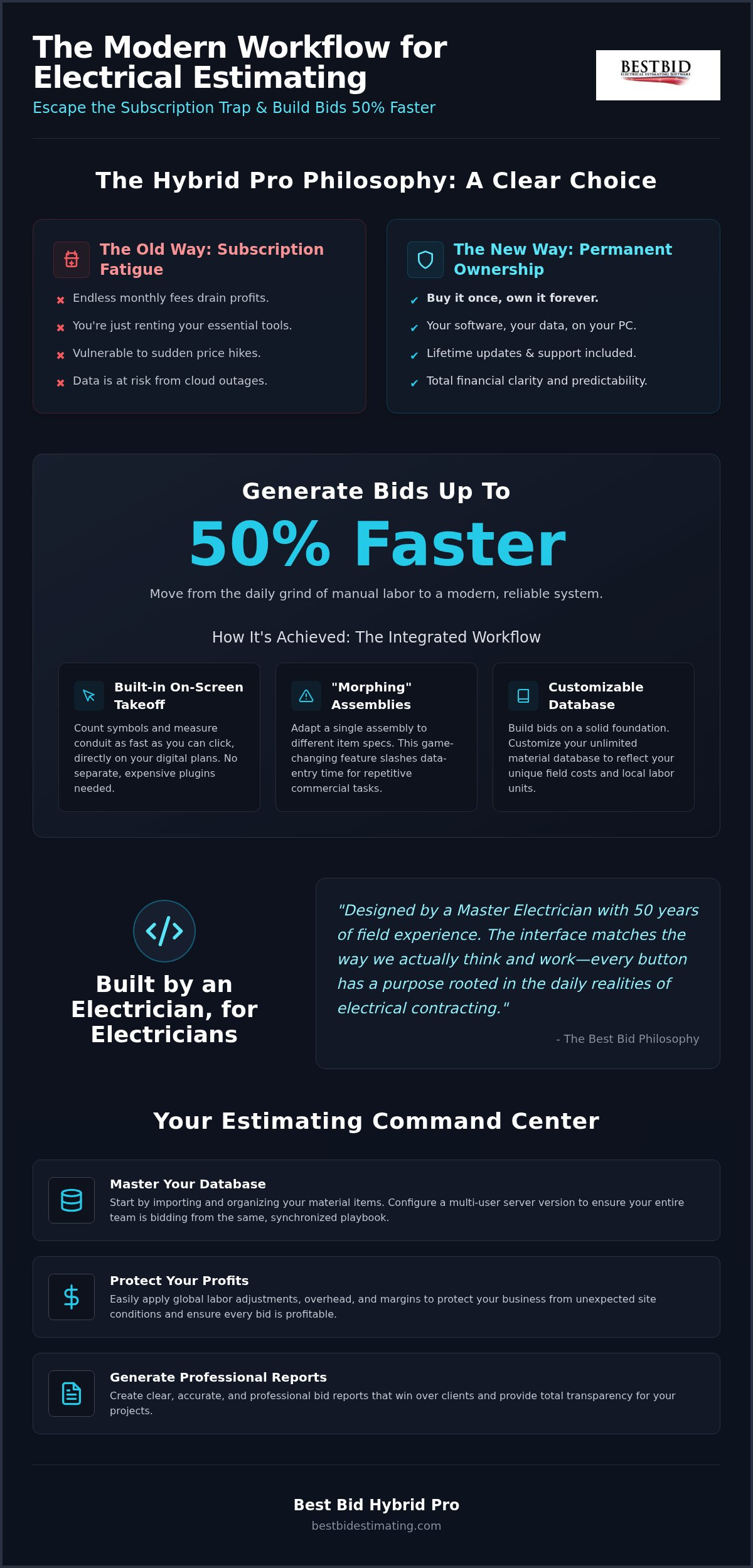
Why do most software companies treat your business like an ATM? In an industry where margins are tight and deadlines are tighter, the last thing you need is a monthly bill for the tools you use to survive. The philosophy behind Best Bid Hybrid Pro is built on a different foundation. It’s a fusion of raw estimating power and integrated digital takeoff, designed to replace the fragmented workflow of using multiple programs. By choosing a system that combines these features, you eliminate the need for separate, expensive third-party takeoff plugins that drain your monthly budget. This Best Bid Hybrid Pro tutorial begins by understanding that your software should be an asset you own, not a liability you rent.
The category of Construction estimating software is often crowded with generic solutions built by people who have never stepped foot on a job site. Hybrid Pro is the exception. It represents a “bold disruptor” in the market, prioritizing the needs of the contractor over the profits of the software developer. You get a system that runs locally on your Windows platform, ensuring your data stays yours without the risk of cloud outages or access fees. This local ownership provides a level of security and permanence that subscription-based models simply can’t match.
Software Built by an Electrician, for Electricians
Steve Griffin didn’t build this software in a vacuum. With 50 years of field experience as a Master Electrician, he designed the interface to match the way we actually think and work. Theoretical designs from corporate developers often clutter the screen with useless features; Hybrid Pro strips that away. This Best Bid Hybrid Pro tutorial highlights why the learning curve is intentionally shallow. It speaks the language of the trade. Whether it’s ensuring compliance through IAEI standards or streamlining the UI for a “trench-tested” professional, every button has a purpose rooted in the daily realities of electrical work.
Eliminating Recurring Costs and Subscription Fatigue
Let’s talk about the bottom line. Most competitors want you locked into a perpetual payment cycle that never ends. With Hybrid Pro, you embrace a “Buy it and Own it” model that provides immediate financial clarity.
This one-time purchase includes lifetime updates and free technical support, which is almost unheard of in 2026. You aren’t just buying software; you’re securing a permanent partner for your business. There are no hidden cloud-access fees or sudden price hikes.
You own the software, you own the database, and you own your future. This transparency is why so many single-location shops are making the switch to a more fair and predictable system.
Setting Up Your Command Center: Database and Integration
Building a bid on a generic database is like building a house on sand. You need a foundation that reflects your specific niche and local costs. This Best Bid Hybrid Pro tutorial begins with the “Command Center”—your database. You’ll start by importing your material items and organizing them so they’re accessible when the pressure is on. If you’re working in a multi-user environment, configuring the server version allows your team to share a single, live database. This eliminates the headache of version control and ensures everyone is bidding from the same playbook. It’s a straightforward process that replaces the chaos of scattered spreadsheets with a modern, reliable system.
Leveraging the Assembly-Structure Workflow
Why search through 10,000+ parts when you can use the “Morphing” secret? Hybrid Pro’s assembly structure is a game changer for repetitive commercial tasks. Instead of clicking through endless menus, a single assembly can adapt to different item specifications.
This reduces clicks and slashes the time spent on data entry. You can build custom assemblies for your most common jobs, ensuring that your workflow is as streamlined as possible. It’s about working smarter, not harder, to get that bid finalized.
This efficiency is exactly what helps you finish bids 50% faster than manual methods.
Accuracy also depends on local market reality. You must customize your labor units to reflect what’s actually happening in your area. While you can find authoritative data on labor costs to establish a baseline for wages and duties, your specific crew’s speed and local conditions are what matter most.
Hybrid Pro allows you to adjust these units globally or per item, giving you the precision needed to protect your profit margins. This isn’t just about software; it’s about making sure your business remains profitable in a competitive field.
Real-Time Pricing with NetPricer Integration
In a fluctuating market, the “Material Cost Trap” is real. Yesterday’s copper prices won’t win tomorrow’s profitable jobs. By setting up NetPricer, you connect directly to your local distributors for instant price updates. This 1-Click pricing update ensures your bid is accurate right up until you hit “send.” Always verify your updates before finalizing to catch any sudden spikes. If you have questions about specific integrations or technical requirements, checking the FAQ can provide quick answers and keep your momentum going.
Setting up your system correctly today prevents costly errors tomorrow. If you’re ready to see how this workflow transforms your speed and accuracy, you can explore the full range of features at bestbidestimating.com. This is your first step toward total ownership of your estimating process.
Mastering the Built-In On-Screen Takeoff (OST)
Paper plans are a relic of the past that only slow you down. The built-in On-Screen Takeoff (OST) within Hybrid Pro is designed to keep you competitive in an industry where speed is everything. This Best Bid Hybrid Pro tutorial moves from the database to the digital drawing board, where you can import PDF, CAD, or image files with ease. CAD files are particularly useful because they often contain layers that you can toggle to clear the clutter. Why pay for a separate subscription when the tools you need are already integrated? You’ll use the Digital Highlighter to count symbols as fast as you can click, turning a chore that once took hours into a task finished in minutes.
The heart of the system is the automatic conduit and wire length calculation. As you draw your runs, the software does the heavy lifting. It accounts for the complexities of the job without you touching a calculator or a scale.
When the takeoff is complete, you transfer that data directly to the estimate with zero manual entry. It’s a seamless transition that eliminates the risk of human error during data transfer. You’ll see your material and labor costs populate instantly, giving you immediate feedback on the bid’s viability.
Measuring Distances and Linear Runs
Accuracy starts with setting the correct scale for your blueprints. Hybrid Pro makes this simple, ensuring every measurement is precise whether you’re working on a small tenant improvement or a massive industrial complex. You can also calculate vertical drops and rises automatically.
This is a common spot where manual estimators lose money by forgetting to add the wire needed for panel terminations or wall switches. Pro Tip: Using touch-screen monitors can significantly accelerate your takeoff speed. It allows for a more tactile and intuitive experience that feels like working with your hands.
Automated Counting and Symbol Recognition
Repetitive counting is where mistakes happen and profits vanish. DigiCount Takeoff Pro slashes that time by recognizing symbols across your plans. You aren’t just clicking; you’re building a visual audit trail that highlights every counted item on the screen.
This trail is vital for verifying your counts and providing transparency to your clients. When plans change, handling revisions becomes a matter of updating the takeoff rather than starting from scratch. As noted in the Occupational Outlook Handbook, the demand for skilled electrical work remains steady.
Efficient bidding is the only way to capture your share of that market while maintaining your sanity. You need a system that handles the reality of the trade.
Finalizing the Bid: Labor, Overhead, and Professional Reports
A fast takeoff is useless if your final numbers don’t account for the reality of the job site. Once your quantities are in, this Best Bid Hybrid Pro tutorial shifts focus to the financial finishing touches. You’ll start by applying global labor adjustments. Are you working on a high-ceiling warehouse or a cramped retrofit? You can adjust labor units across the entire project in seconds. This ensures your bid reflects the actual difficulty of the work, not just a theoretical average. It’s about protecting your profit before you ever pick up a tool.
Calculating overhead and profit margins is where many estimators stumble into spreadsheet errors. Hybrid Pro handles these calculations internally, keeping your math clean and your margins safe. You won’t have to worry about broken formulas or hidden cells.
Once the numbers are locked, use the 1-Click backup feature. This creates an immediate safety net for your project data, ensuring you never lose a bid to a system crash or power outage. It’s the kind of practical security a seasoned industry veteran knows you need.
The Bid Day Strategy: Refining the Numbers
Successful bidding requires a critical eye. By applying the principles taught in the Online School for Electrical Estimating, you’ll learn how to conduct a final review that catches “Red Flags” before they reach the client. Look for material spikes or labor hours that seem out of sync with the project scope. In industrial projects, risk management is everything. Adjusting your numbers for potential site delays or complex coordination can be the difference between a profitable win and a costly mistake. You aren’t just guessing; you’re using a system built for precision.
Creating Custom Reports for Stakeholders
Winning the job is only the first step. You need to provide clear, professional documentation to everyone involved. Hybrid Pro allows you to generate specific material lists for your purchasing department, ensuring they order exactly what’s needed. For your project managers, you can export detailed labor breakdowns. This helps them track progress against the estimate once the work begins. Finally, you can present a professional submittal package to your client that projects confidence and expertise. A clean, well-organized proposal often wins the job over a lower, sloppier bid. If you’re ready to professionalize your entire workflow, see how Hybrid Pro transforms your bids at bestbidestimating.com today.
Scaling Your Success: Advanced Tools and Support
Success in this industry often brings a new set of challenges. What happens when your bidding volume outpaces your current capacity? As your firm grows, you might find yourself needing even more power or specialized support.
While Hybrid Pro is the best value for single-location shops, you may eventually decide to move to the Next Generation platform for its enhanced feature set. This transition is seamless because the core logic remains the same. You’re simply adding more tools to your belt.
Another essential addition is Accura Cadd PDF Draw, which allows you to create professional-grade plan markups that set your proposals apart from the competition.
Integrating Freelance Estimating and Drafting
High-volume bidding seasons can push even the most seasoned estimator to the breaking point. This Best Bid Hybrid Pro tutorial wouldn’t be complete without explaining how to handle that overflow. You don’t have to turn down work just because you’re busy. You can send your Hybrid Pro files directly to a professional freelance estimator within the Best Bid ecosystem. This ensures that your bids remain consistent with your software’s database and your specific labor units. It’s a way to bridge the gap during busy periods without the overhead of a full-time hire. You maintain control of the project while leveraging expert help to get more bids out the door.
Mastering the Trade with Best Bid Academy
Software is a powerful tool, but it’s only as good as the person behind the screen. To truly scale your success, you need to master the “Art” of estimating. This goes beyond just clicking buttons; it’s about understanding labor management, site conditions, and building lasting relationships with contractors. The Best Bid Academy provides the continuing education you need to stay sharp in a changing market. You’ll find deep dives into advanced strategies in our Electrical Estimating: 2026 Contractor Training Guide. This resource helps you move from being a software user to becoming a true industry leader who understands the financial pulse of every project. Our goal is to support your long-term success with tools and training that you own for life.
Take Control of Your Estimating Future
You’ve seen how the right tools can replace the stress of manual counts with the security of a modern, reliable system. This Best Bid Hybrid Pro tutorial has walked you through the transition from outdated, subscription-heavy processes to a workflow defined by total ownership and precision. By leveraging the built-in OST and a database built for the trade, you’re no longer just guessing; you’re bidding with the confidence of a veteran. No monthly fees. Ever.
The path to finishing bids 50% faster starts with eliminating the ongoing burden of recurring software costs. You deserve tools that stay in your corner without constant price hikes. With lifetime support and updates included, your investment is protected for the long haul.
It’s time to stop renting your success and start owning it. You’ve got the field experience; now match it with a professional bidding process that respects your bottom line.
Ready to see the fastest workflow in action? Schedule a Live Walkthrough of Hybrid Pro Today and discover how built-in OST leads to more profitable bids. Your future success is just a few clicks away.
Frequently Asked Questions
Does Best Bid Hybrid Pro require a monthly subscription?
No, Best Bid Hybrid Pro is a one-time purchase. We don’t believe in the “pay-forever” model that dominates the industry. You own your license and your data locally, ensuring you aren’t locked out of your own business files if a payment fails.
This permanence gives you total financial control. It’s a straightforward partnership that respects your bottom line while providing a modern, reliable system for your daily bidding needs.
Is the built-in On-Screen Takeoff as powerful as separate takeoff software?
Yes, the built-in takeoff is actually superior because it eliminates the need for third-party software and the errors that come with manual data transfer. While other digital tools require separate monthly fees, our integrated system allows you to count symbols and measure conduit directly on your screen. This Best Bid Hybrid Pro tutorial highlights how this synergy slashes takeoff time and ensures your quantities are always perfectly synced with your material list.
Can I run Best Bid Hybrid Pro on a Mac?
Best Bid Hybrid Pro is designed for the Windows platform to provide the stability and performance required for professional estimating. Mac users can successfully run the software by using Windows emulation environments like Parallels or Boot Camp. This setup allows you to enjoy the full benefits of our touch-screen support and multi-user database sharing on your preferred hardware. It’s a practical solution that ensures you don’t have to change your entire office setup to upgrade your bidding.
How does the 1-Click backup feature work?
The 1-Click backup feature is a rugged safety net designed for the realities of a busy office. With one simple action, you can secure your entire project, including takeoff data and material lists, to a safe location. This prevents the nightmare of losing a complex bid due to a sudden power failure or hardware issue. It’s about giving you the security of a modern system that understands how much work goes into every single estimate.
Is training included with my one-time software purchase?
Yes, we provide extensive training through the Best Bid Academy and our Online School for Electrical Estimating. We don’t just sell you a tool; we provide a roadmap for your long-term success. You’ll have access to resources that teach you both the software’s mechanics and the deeper art of profitable bidding. This support ensures that your team can transition from manual methods to our high-speed workflow with confidence and expert guidance.
Can multiple estimators work on the same project in Hybrid Pro?
Multiple estimators can definitely collaborate on the same project using our server-based database sharing. This allows your team to divide and conquer large bids without the risk of version conflicts or duplicated effort. Everyone sees the same live data, ensuring that your firm maintains a consistent and professional approach to every proposal. It’s a scalable solution that grows alongside your business, whether you’re a small shop or a growing commercial contractor.
What happens if I need technical support after the first year?
You’ll continue to receive technical support and updates for the lifetime of your software at no additional charge. We don’t believe in “pay-to-play” support models that punish you for needing help after the first year. Whether you need a technical fix or a quick Best Bid Hybrid Pro tutorial on a new feature, our team is standing by to assist you. This advocate-first approach ensures that your tools remain sharp and your workflow stays uninterrupted.
Does the software include a database of electrical materials?
The software includes a massive, customizable database of industry-standard electrical materials ready for immediate use. You aren’t starting from scratch; you’re building on a foundation designed by a Master Electrician with 50 years of field experience. You can easily adjust labor units or integrate NetPricer to ensure your material costs reflect current distributor pricing. This flexibility allows you to tailor the system to your specific niche while maintaining the precision needed for profitable work.